
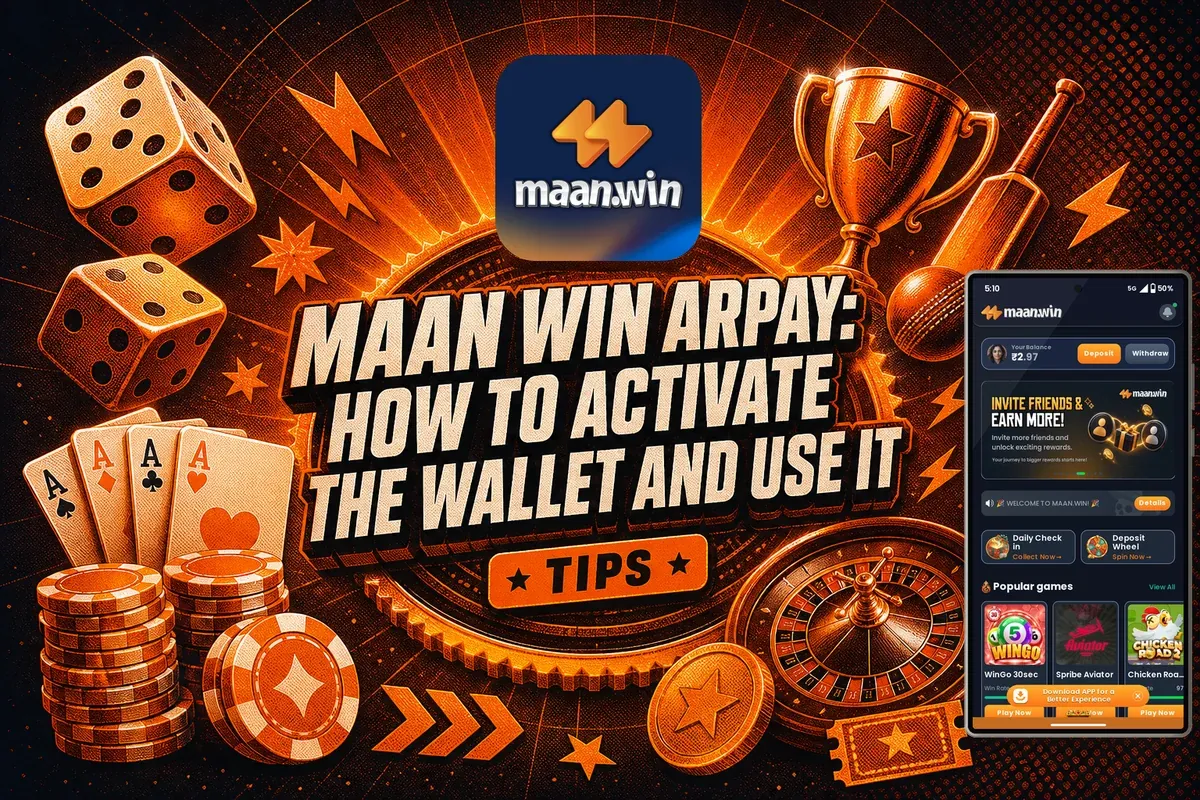
Maan Win ARPay: How To Activate The Wallet And Use It
On the Deposit and Withdraw pages, Maan Win ARPay appears as a payment choice alongside UPI, bank card and USDT. To use it, you first need to activate your AR wallet. If you haven't, the app displays a notice that the wallet is not yet activated and so cannot be used.
The fix is simple: tap the Activate Wallet button on the ARPay tile and finish the setup. After that, ARPay works for deposits and withdrawals between ₹100 and ₹50,000 per transaction.
Below you will find what the message means, how to activate the wallet, the limits, the timing, and when ARPay makes more sense than a normal UPI payment.
Page Contents
- Deposit Range
- ₹100 to ₹50,000
- Withdrawal Range
- ₹100 to ₹50,000
- Deposit Credit Time
- 1-5 minutes
- Withdrawal Time
- Usually within 24 hours
- Withdrawals Per Day
- 3
- Before First Use
- Activate the AR wallet
What Is Maan Win ARPay?
ARPay is a wallet-based payment method that appears as its own tile on both the Deposit and Withdraw pages of Maan Win. It sits beside UPI and USDT, so you choose it the same way you choose any other method.
The difference is that ARPay needs a one-time activation. UPI works straight away because you pay from your own UPI app. ARPay first needs an AR wallet linked to your account, and the app will not move money through it until that wallet is active.
Think of it as a second route for your money. Many players never touch it, but it is useful to have it ready if your usual UPI route gives trouble on a busy day.
Handy Tip: Activate ARPay on a calm day, not when you urgently need to withdraw money.
Why You See The 'Wallet Has Not Been Activated' Message
When you tap the ARPay tile on the Withdraw page before setting it up, you see the line Your AR wallet has not been activated yet, followed by a popup saying the wallet cannot be used until you activate it first. The Deposit page shows an Activate Wallet button on the same tile.
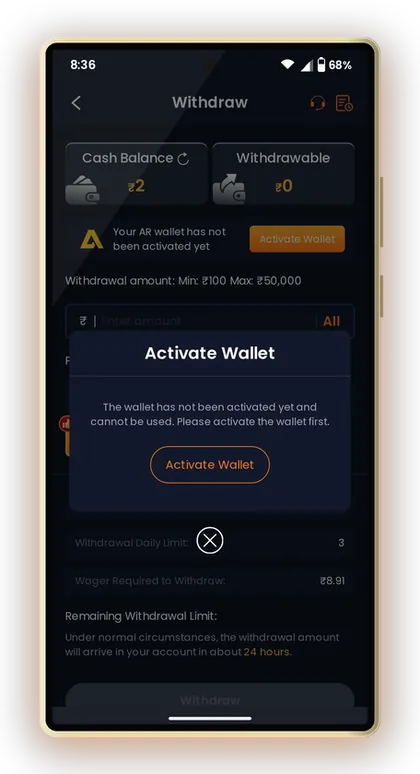
This is not an error with your account, and your balance is safe. It only means the ARPay link has not been created. New players often panic and raise a ticket with Customer Care, when all they need is to tap the button.
Say you won ₹800 on WinGo and pick ARPay to withdraw. The message appears, the Withdraw button does nothing useful, and you think the money is stuck. Switch to UPI for that request, or activate ARPay and try again.
Handy Tip: The message only blocks ARPay; your other withdrawal methods still work normally.
How To Activate The ARPay Wallet On Maan Win
The arpay wallet activate button sits on the ARPay tile itself, so you do not need to search through settings. Open the Wallet from the bottom menu or from your Profile, then go to Deposit or Withdraw.
Follow the screens that open after you tap the button and complete each step in one go. If you close the app halfway, you may have to start again, which is a common reason players think activation failed.
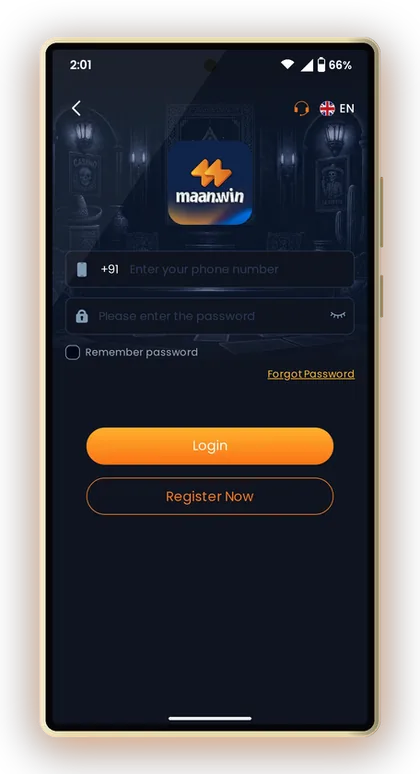
- Log in to Maan Win and open the Wallet.
- Tap Deposit or Withdraw.
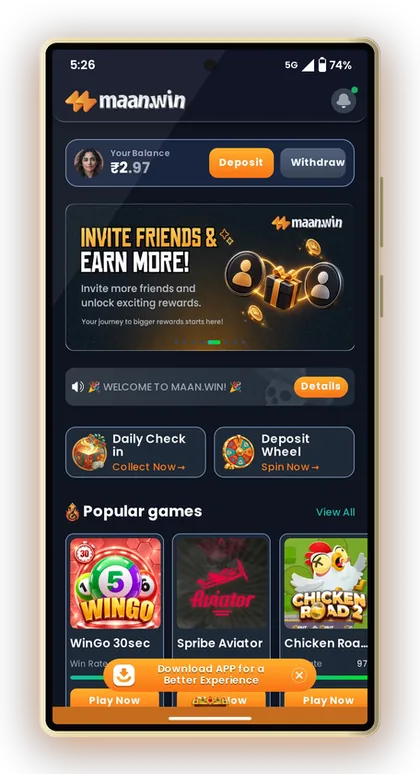
- Select the ARPay tile under Payment methods.
- Tap Activate Wallet.
- Complete the setup screens that open.
- Return to the ARPay tile and confirm the warning is gone.
Before You Start
Make sure you are logged in to your own account with a stable internet connection. Use your own mobile number and details, because a wallet set up with someone else's details can block your withdrawals later.
Anyone without an account should register first. The invite code PUWFKWN has to be typed into the Invite Code field, because sign-up cannot be completed without it.
After Activation
Go back to the ARPay tile and check that the warning message has gone. If it still shows, close and reopen the app once before contacting support.
Try a small deposit first, such as ₹100, to confirm the route works before you send larger amounts.
Handy Tip: Take a screenshot of the final activation screen so you have proof if anything goes wrong.
Maan Win ARPay Deposit And Withdrawal Limits
ARPay works between ₹100 and ₹50,000 for both deposits and withdrawals. That matches the UPI deposit range, and it gives a slightly lower withdrawal minimum than UPI or bank card, which start at ₹110.
Like every method, ARPay withdrawals count towards the limit of 3 withdrawals per day. Plan your requests: three small withdrawals early in the day leave you no room if you win again in the evening.
For full details on all methods, see the Maan Win deposit methods and limits page and the Maan Win withdrawal rules and timing page.
| Method | Deposit Range | Withdrawal Range | Withdrawals Per Day |
|---|---|---|---|
| ARPay | ₹100 - ₹50,000 | ₹100 - ₹50,000 | 3 |
| UPI | ₹100 - ₹50,000 | ₹110 - ₹50,000 | 3 |
| Bank Card | Not a deposit tile | ₹110 - ₹50,000 | 3 |
| USDT | Check the USDT tile | ₹1,000 - ₹1,000,000 | 3 |
Handy Tip: If you want to withdraw exactly ₹100, ARPay is the only method that allows it.
How Long ARPay Deposits And Withdrawals Take
ARPay deposits reach your balance in 1-5 minutes, just like the other methods. Should the amount still be missing after 30 minutes, reach out to customer service and select Deposit Not Received.
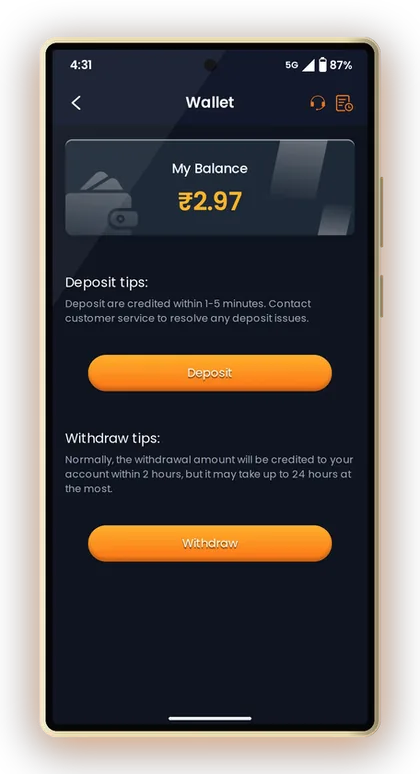
Usually, an ARPay withdrawal is received in 2 hours, though the maximum wait is 24 hours. Requests made on weekends or late at night may take nearly that long, so avoid relying on the funds if you need them urgently.
Say you deposit ₹500 and the balance has not changed after 3 minutes. Wait, refresh the deposit page, and only then raise a ticket. Paying a second time to fix it is the most common and costly mistake.
Handy Tip: Never pay twice for one deposit; wait the full 30 minutes before acting.
ARPay Or UPI: Which Should You Use?
For most players, UPI stays the main choice because it needs no setup and works with PhonePe, Google Pay or Paytm. ARPay is the backup that earns its place when UPI misbehaves.
The trade-off is simple: UPI is faster to start, ARPay gives you a second route and a ₹100 withdrawal minimum.
When ARPay Makes Sense
Use ARPay if your UPI payments keep failing, if your bank limits UPI transfers, or if you want to keep gaming money separate from your daily UPI account.
It also helps small winners, since you can withdraw ₹100 instead of waiting to reach ₹110.
When To Stick With UPI
If UPI already works smoothly for you, there is no real reason to switch. Adding methods means more details to manage and more places for mistakes.
For large withdrawals above ₹50,000, neither works; only USDT goes higher.
Handy Tip: Keep both UPI and ARPay ready so one failure never stops your withdrawal.
Common ARPay Mistakes New Players Make
Most ARPay problems come from small habits, not from the system. Avoid these and you will rarely need support.
Remember that money in your balance is still at risk while you play. Set a budget and read the Maan Win tips for responsible play before you deposit more.
- Trying to withdraw before activating the wallet.
- Changing the payment amount on the payment screen.
- Reusing an old saved QR code for a new deposit.
- Using up all 3 daily withdrawals on tiny amounts.
- Requesting a withdrawal before meeting the bet requirement shown on the Withdraw page.
Handy Tip: Check the Wager Required to Withdraw line before every withdrawal request.
Getting Help With Maan Win ARPay Problems
Under Live Support you will find the Self Service Center, which lists Deposit Not Received and Withdrawal Problem. Choose whichever fits your case, send in your ticket, and follow its status through Progress Query.
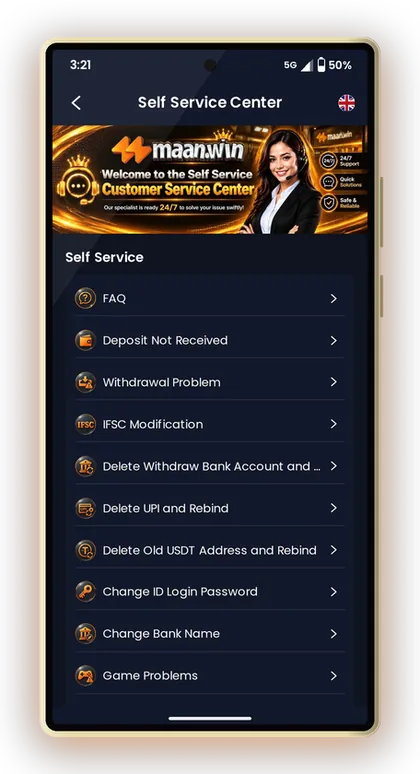
Attach your payment screenshot and transaction ID. Tickets with clear proof are usually handled faster than vague messages.
Also take care of your account's safety: do not give your password or OTP to anybody who says they are from support. For more guidance, see Maan Win account security tips.
Handy Tip: One clear ticket with proof works better than several repeated tickets.
Using ARPay On The Maan Win App
ARPay works the same on the mobile website and the app. The app tends to keep you logged in, which makes the activation steps smoother. Get it from the Maan Win app download page.
Beware of any so-called Maan Win Hack or predictor app promising wins or free wallet balance. No such tool exists, and these apps are scams that steal logins. More payment articles are on the Maan Win blog, and you can sign up from the Maan Win register page with invite code PUWFKWN.
Handy Tip: Install the app only from the official download page, never from random links.
Common Player Questions
Why does Maan Win say my AR wallet is not activated?
It means you have not set up ARPay yet. Tap Activate Wallet on the ARPay tile and complete the steps. Your balance is not affected.
What are the ARPay limits on Maan Win?
Deposits and withdrawals through ARPay range from ₹100 to ₹50,000. You can make up to 3 withdrawals per day.
How long does an ARPay withdrawal take?
Money from withdrawals typically lands within 2 hours, though it may take as long as 24 hours. If you need the funds, allow for the longer wait.
Is ARPay better than UPI?
Not always. UPI needs no setup, while ARPay is a useful backup and allows a ₹100 withdrawal minimum.
My ARPay deposit has not arrived. What should I do?
Wait up to 30 minutes and check your balance. If it still has not arrived, raise a Deposit Not Received ticket with your payment proof. Do not pay again.
Do I need an invite code to register on Maan Win?
Yes, the Invite Code field is required. Enter PUWFKWN when you register.
Keep Exploring

Maan Win deposit: add money by UPI, USDT or ARPay from ₹100 to ₹50,000, credited in 1-5 minutes. Steps, bonus chips and
Maan Win withdrawal steps for UPI, bank card, USDT and ARPay, with minimum amounts, daily limits, usual withdrawal time

Maan Win App download for Android and iPhone: install it safely, register with invite code PUWFKWN, log in and fix commo

Maan Win account security tips: change your password, fix login problems with +91 Forgot Password, never share OTPs and
Ready To Play On Maan Win?
Register on Maan Win in a minute and explore the games and offers.