
Maan Win Account Security: Passwords, Login Problems and Fake Links
Maan Win account security comes down to four habits: a strong login password, a clean Forgot Password routine with your +91 number, never sharing an OTP, and opening the platform only from the official link. Most lost accounts on gaming apps are not "hacked" in any clever way. The owner simply gave away a code or logged in on a fake page.
Your account holds real money in your Balance, plus the bank card, UPI ID or USDT address you saved for withdrawals. That makes it worth protecting like a banking app. Below you will find exactly where the security settings sit, how to recover access, and how to spot the fake links and fake "hack" apps that target Indian players.
Page Contents
- Login Method
- +91 mobile number, password
- Password Change
- Profile → Account & Security
- Lost Password
- Forgot Password on login page
- Support Route
- Self Service Center work order
- Official Channels
- Telegram, WhatsApp
- Invite Code
- PUWFKWN
Why Maan Win Account Security Matters More Than You Think
Your Maan Win account is tied to your mobile number and to the withdrawal accounts you bind, such as a bank card, UPI ID, USDT address or ARPay wallet. Anyone who gets into it can play away your Balance or, worse, try to change where your money goes.
New players often treat a gaming login like a social media login and reuse the same simple password everywhere. That is the single biggest mistake. If one site leaks that password, a scammer will try it on every money app linked to your number.
The good news is that the platform gives you the tools you need: a password change option, a Forgot Password route, and a Self Service Center where bank and UPI changes go through review. Using them properly closes almost every common gap.
What A Thief Actually Wants
A thief rarely wants your game history. They want either your current Balance or the ability to rebind your withdrawal account to their own UPI or bank. That is why changes to bank name, IFSC and UPI go through customer service review rather than one tap.
The Most Common Ways Accounts Are Lost
Players lose access mainly through three things: sharing an OTP with a fake "agent", typing the password into a copy-cat website, and installing an APK from an unknown Telegram group. All three are avoidable with the habits below.
Handy Tip: Treat your Maan Win login like your UPI PIN: one person knows it, and that person is you.
Setting Up A Safe Account From The First Day
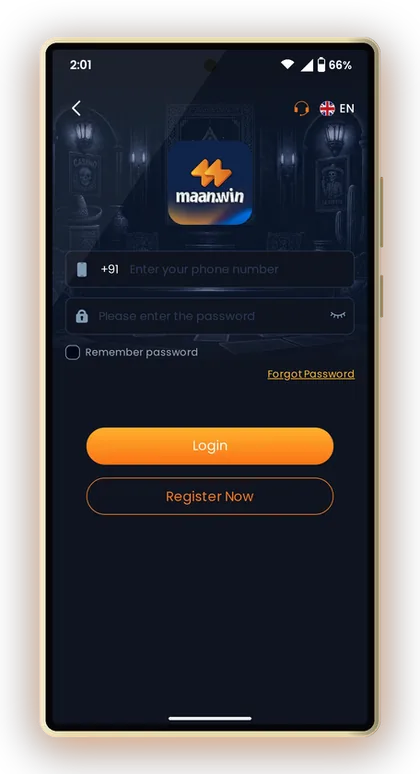
Security starts at sign-up. When you register on Maan Win, you enter your +91 mobile number, choose a password and fill in the Invite Code field, which is required. Enter PUWFKWN there so registration goes through.
Pick the password carefully at this stage, because many players never change it later. A number you control yourself, not a borrowed SIM or a friend's phone, is equally important, since Forgot Password depends on that number.
If you are starting fresh, the Maan Win register page on the home section has the sign-up button. Do it from a trusted link only, which is covered further down.
- Open Maan Win from the official link only.
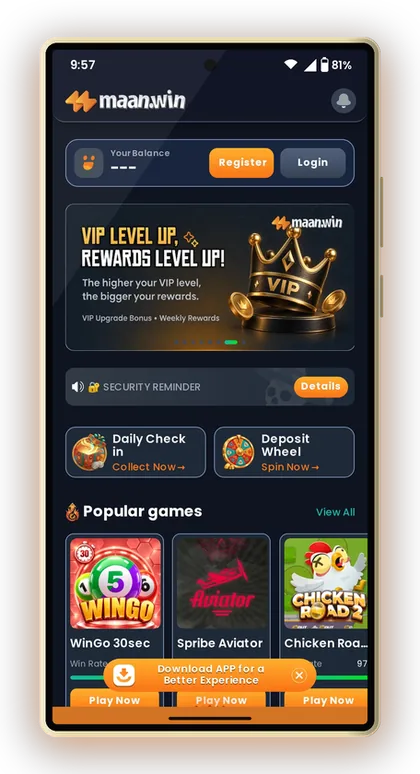
- Tap Register and enter your own +91 mobile number.
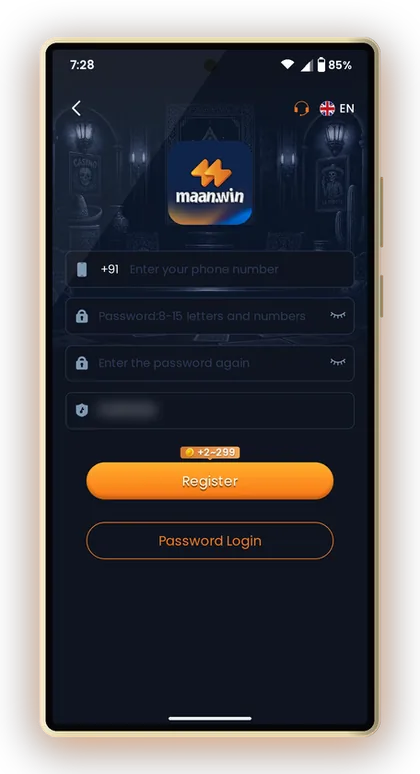
- Create a strong password you do not use on any other app.
- Enter PUWFKWN in the Invite Code field.
- Finish registration, then log in and open Profile to check Account & Security.
Handy Tip: Use a SIM that is registered in your name and that you plan to keep, because password recovery runs through it.
Maan Win Change Password: Using Account & Security
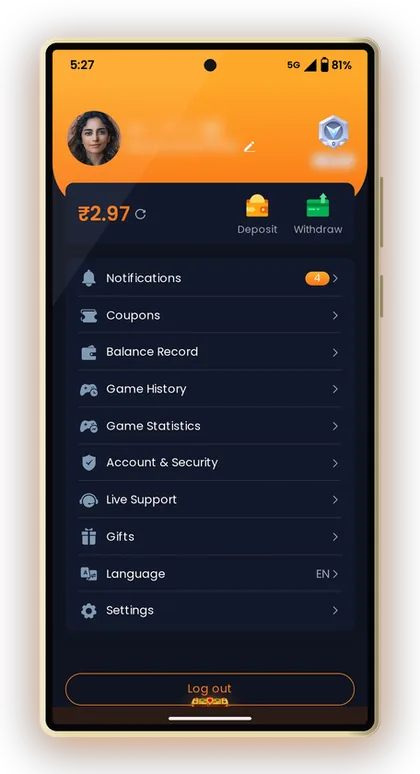
You change your login password from the Profile tab. Open Account & Security on the account page, and you will find the password option there. It makes sense to change the password right after your first deposit and again any time you suspect someone saw it.
A good password is long rather than clever. Something like three unrelated words with a number, for example a phrase only you would think of, beats a short mix like "Rahul@123". Avoid your name, birth date, mobile number or cricket team, because these are the first guesses a scammer makes.
Experienced players also change the password after logging in on a shared or public phone. Even if you tapped Log out, a saved password in the browser can remain on that device.
- Log in and tap Profile at the bottom.
- Open Account & Security.
- Choose the login password option.
- Enter the old password, then the new one twice.
- Save, log out and log back in to confirm it works.
When To Change It Immediately
Change it at once if you shared your screen, typed it on a site you are not sure about, got an unexpected OTP message, or a friend once used your phone to play. Waiting a day gives a stranger a full day of access.
The Remember Password Option
The login page has a Remember password box. Tick it only on your own phone with a screen lock. On a shared phone, leave it unticked and log out when you finish.
Handy Tip: Never save your Maan Win password inside a WhatsApp chat or notes app that syncs to other devices.
Fixing A Maan Win Login Problem Step By Step
Most login trouble has a simple cause: wrong number format, an old password, or a fake website. Before panicking, check that you are entering your number after the +91 code without adding an extra 0 or the country code again.
If you recently changed your password, your phone may still auto-fill the old one. Clear the field and type it by hand. You can open the Maan Win login page directly to rule out a broken saved bookmark.
When the password is truly forgotten, use Forgot Password, explained in the next section. If none of this works, the Self Service Center has a LOGIN PROBLEM category where you can raise the issue.
- Number entered after +91, with no extra 0
- Caps Lock and auto-fill checked
- Opened from the official link, not a forwarded one
- Stable internet, not a weak mobile signal
- App or browser fully closed and reopened
| Symptom | Likely Cause | What To Do |
|---|---|---|
| Wrong password message | Old password auto-filled | Type it manually or use Forgot Password |
| Page looks different | Fake or copy site | Close it, open the official link |
| Logged out again and again | Login on another device | Change password at once |
| Number not accepted | Extra 0 or code typed | Enter only the 10-digit number |
Handy Tip: If the login page looks even slightly different from usual, stop and check the link before typing anything.
Using Forgot Password With Your +91 Number
The Forgot Password link sits on the login page under the password box. It lets you set a new password using your registered +91 mobile number, with a verification code sent to that number.
Here is the key rule: the code is for you to type into the Maan Win page yourself, and nowhere else. A genuine reset never needs a third person. If someone on WhatsApp says they will "reset your account" and asks for the code, they are trying to take it over.
Say you forgot your password after a week away. You tap Forgot Password, enter your number, receive the code by SMS, type it in, and choose a fresh password. The whole thing should take a couple of minutes if the SIM is in your phone.
- Open the login page from the official link.
- Tap Forgot Password.
- Enter your registered +91 mobile number.
- Type the verification code you receive into the page yourself.
- Set a new, strong password and log in.
Handy Tip: If you no longer use the registered number, contact customer service before trying anything else.
Never Share OTPs, Passwords Or Screenshots
An OTP is a one-time key. Whoever has it can do what the code was made for, whether that is resetting your password or confirming a change. No real support agent needs your OTP, your password or a photo of your screen showing them.
Scammers know Indian players trust anyone who sounds official. They may claim to be from Maan Win customer care, say your withdrawal is stuck, and ask for a code "to verify". The moment someone asks for an OTP, end the chat.
Screenshots are a quieter risk. Players post wins in groups without noticing the screenshot shows their user ID, balance or part of their UPI. Crop those details before sharing anything.
- Never send an OTP to anyone, even someone claiming to be support
- Never share your login password in chat or on a call
- Crop user ID and balance from screenshots
- Do not let others log in on your account to "help"
How Genuine Support Works
Real help on Maan Win comes through the Self Service Center. You select your question, submit it for review, and track the result with Progress Query. Nobody needs to call you and ask for codes.
Red Flags In A Message
Watch for urgency ("your account will close in 10 minutes"), requests for codes, links to new websites, and offers to double your deposit. Any one of these is enough reason to ignore the message.
Handy Tip: A real agent will never ask you for an OTP; anyone who does is not one.
Maan Win Official Website Links And Fake Copies
Fake links are the most common trap. A copy site can look almost the same as the real one, with a login box that sends your number and password straight to a scammer. Always open the platform from a link you trust, such as the Maan Win official link page.
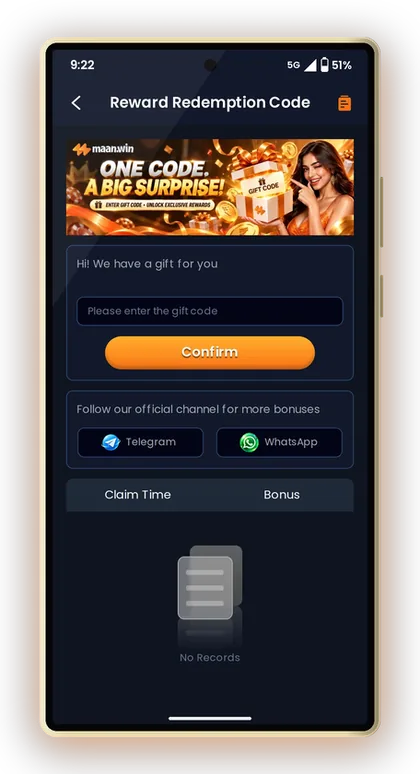
The platform names its official channels as Telegram and WhatsApp, shown on the gift code page under "Follow our official channel". Gift codes and announcements should come from there, not from random groups forwarding new URLs every day.
For the Maan Win App, download only from the official source. An APK passed around in a group can carry spyware that reads your SMS, which means it can read your OTPs too.
How To Spot A Fake Link
Check the spelling slowly. Fake sites change one letter, add a hyphen, or use a different ending. If a link came from a stranger or a paid ad promising a bonus, do not log in through it.
Bookmark Once, Use Always
The easiest protection is to open the correct site once, bookmark it or add the app, and never use forwarded links again. That one habit removes most phishing risk.
Handy Tip: Save the official link in your browser and open Maan Win only from that bookmark or the installed app.
Maan Win Hack, Predictor Apps And Other Scams
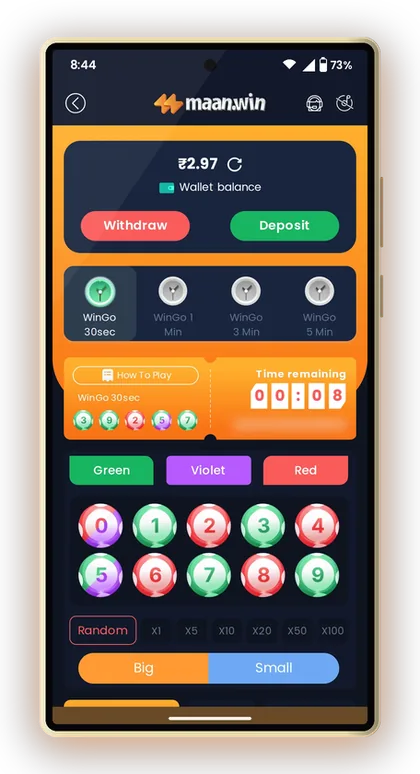
There is no real Maan Win Hack. Any app, Telegram bot or paid group selling a hack or a result-predicting tool for WinGo, Aviator or other games is a scam. Results are random, and no outside tool can see them in advance.
These scams work in two ways. Some take your money for a "VIP signal" and disappear. Others ask you to log in through their tool, which hands them your password and lets them empty your Balance.
If you want to understand how colour games actually work, read about the colour prediction game basics like Red, Green and Big/Small instead. Knowing the rules protects you better than any paid tip.
Handy Tip: If a tool promises sure wins, it is designed to take your money, not to help you win it.
Protecting Your Bank, UPI And USDT Details
Every payout you earn goes straight into the withdrawal account you have bound, so guard those details carefully. Should you need any alteration on Maan Win, for example Delete UPI and Rebind, Delete Withdraw Bank Account and Rebind, IFSC Modification, Change Bank Name or Delete Old USDT Address and Rebind, raise a request via the Self Service Center. The change goes live only once it has been checked and verified.
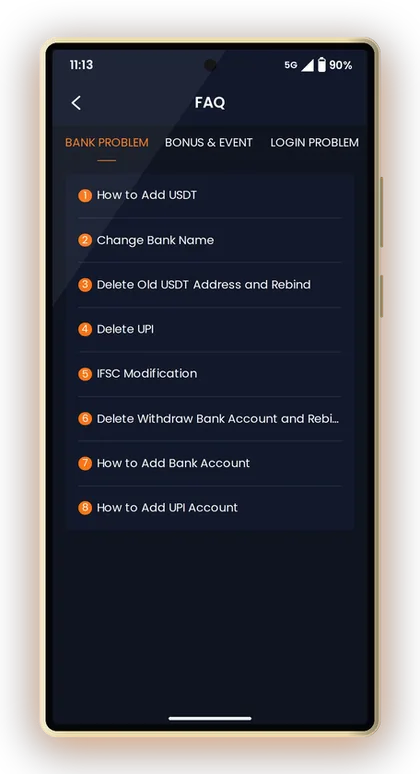
This verification step is a safety net. If someone did get your password, they cannot quietly switch the withdrawal account in a single tap. Still, check your bound account every time you withdraw, because a wrong digit in a UPI ID or USDT address is hard to undo.
For USDT, copy and paste the address and match the first and last few characters. A clipboard-changing virus can swap an address without you noticing.
Bind Only Accounts In Your Own Name
Use your own bank account and UPI ID. Binding a friend's account creates disputes later and can delay your withdrawal request if details do not match.
Watch Your Balance Record
The Balance Record on the account page lists money movements. Check it after each session. Anything you did not do is a sign to change your password and contact support.
Handy Tip: Before every withdrawal, confirm the last four digits of your bound bank or UPI account.
Getting Help From Maan Win Customer Care
If something looks wrong, go to Live Support from the account page and open the Self Service Center. Pick the matching category, such as LOGIN PROBLEM, Withdrawal Problem or Change ID Login Password, then submit your request. You can follow it through Progress Query.
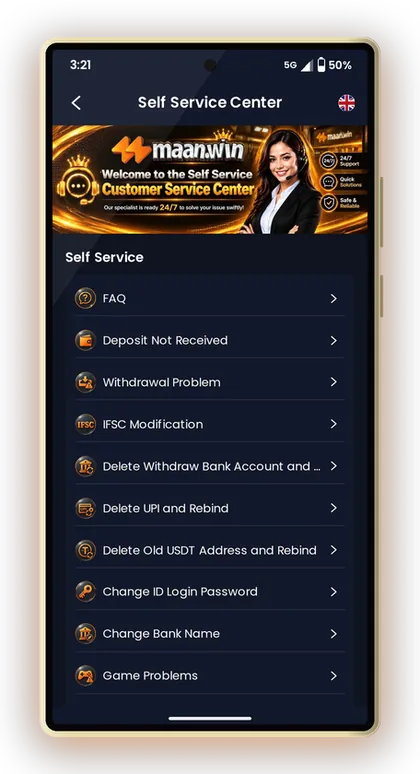
Keep your request clear: your problem, the time it happened, and any order or transaction number. Never add your password or OTP to the request. For more channels and tips, see the Maan Win customer care page.
Account safety also includes how you play. Set a playing budget and stick to it, using the Maan Win tips and tricks for responsible play. Real-money gaming is for adults aged 18+, and rules differ by state, so check yours. More reading is on the Maan Win blog.
Handy Tip: Submit one clear request and track it with Progress Query instead of sending many duplicate tickets.
Common Player Questions
How do I change my Maan Win password?
Log in, tap Profile and open Account & Security. Choose the login password option, enter your old password and set a new one. Log out and back in to confirm it works.
I forgot my password. What should I do?
Tap Forgot Password on the login page and enter your registered +91 number. Type the verification code you receive into the page yourself and set a new password. Never share that code with anyone.
Will Maan Win customer care ask for my OTP?
No genuine support process needs your OTP or password. Help works through the Self Service Center, where you submit a request and track it with Progress Query. Anyone asking for a code is a scammer.
Is there any working Maan Win hack or predictor?
No. Game results are random and no outside tool can know them in advance. Hack and predictor apps are scams that take your money or steal your login.
How can I tell if a Maan Win link is fake?
Check the spelling of the address carefully and be wary of links from strangers or ads promising bonuses. Open the platform only from a saved bookmark of the official link or the installed app.
Do I need an invite code to register?
Yes, Maan Win registration needs the Invite Code field to be filled. While signing up, type PUWFKWN into that field.
How do I change my bound UPI or bank account?
Go to the Self Service Center and pick the relevant option, for example Delete UPI and Rebind or IFSC Modification. Send it in for review, then use Progress Query to see the outcome.
What should I do if I see a transaction I did not make?
Change your password from Account & Security straight away. Then raise a request in the Self Service Center with the time and details from your Balance Record.
Keep Exploring
Maan Win login steps with your +91 number and password, how to reset a forgotten password, fix common login errors and k
Maan Win official link explained: how to check the real site, register with invite code PUWFKWN, log in, avoid fake link

Maan Win customer care number: how to reach Live Support, use the Self Service Center, raise a deposit or withdrawal tic

Maan Win tips and tricks for WinGo, K3 and Aviator: session budgets, fixed bet sizes, why doubling up fails, variance ex
Ready To Play On Maan Win?
Register on Maan Win in a minute and explore the games and offers.